# Buy new NFT

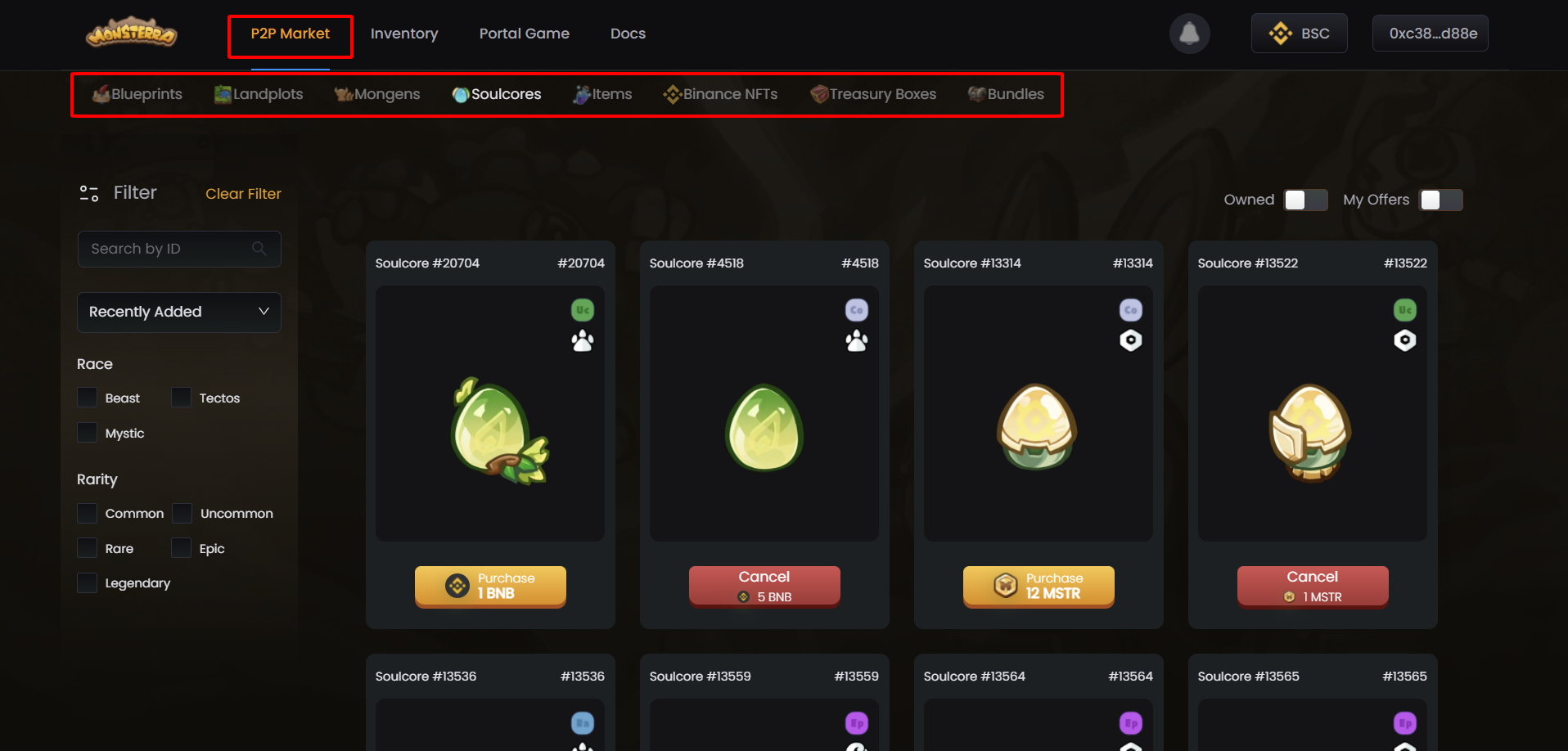
#### **Step 1: Choose a collection depending on the type of NFT you want to buy.**

<figure><img src="https://1306946730-files.gitbook.io/~/files/v0/b/gitbook-x-prod.appspot.com/o/spaces%2FGtLZR4sHSzGcn488y6Ks%2Fuploads%2FbiexiA97REUBzieG8IQB%2Fimage.png?alt=media&#x26;token=82b8e961-4545-4d84-992a-6b3ec7e76d0e" alt=""><figcaption></figcaption></figure>

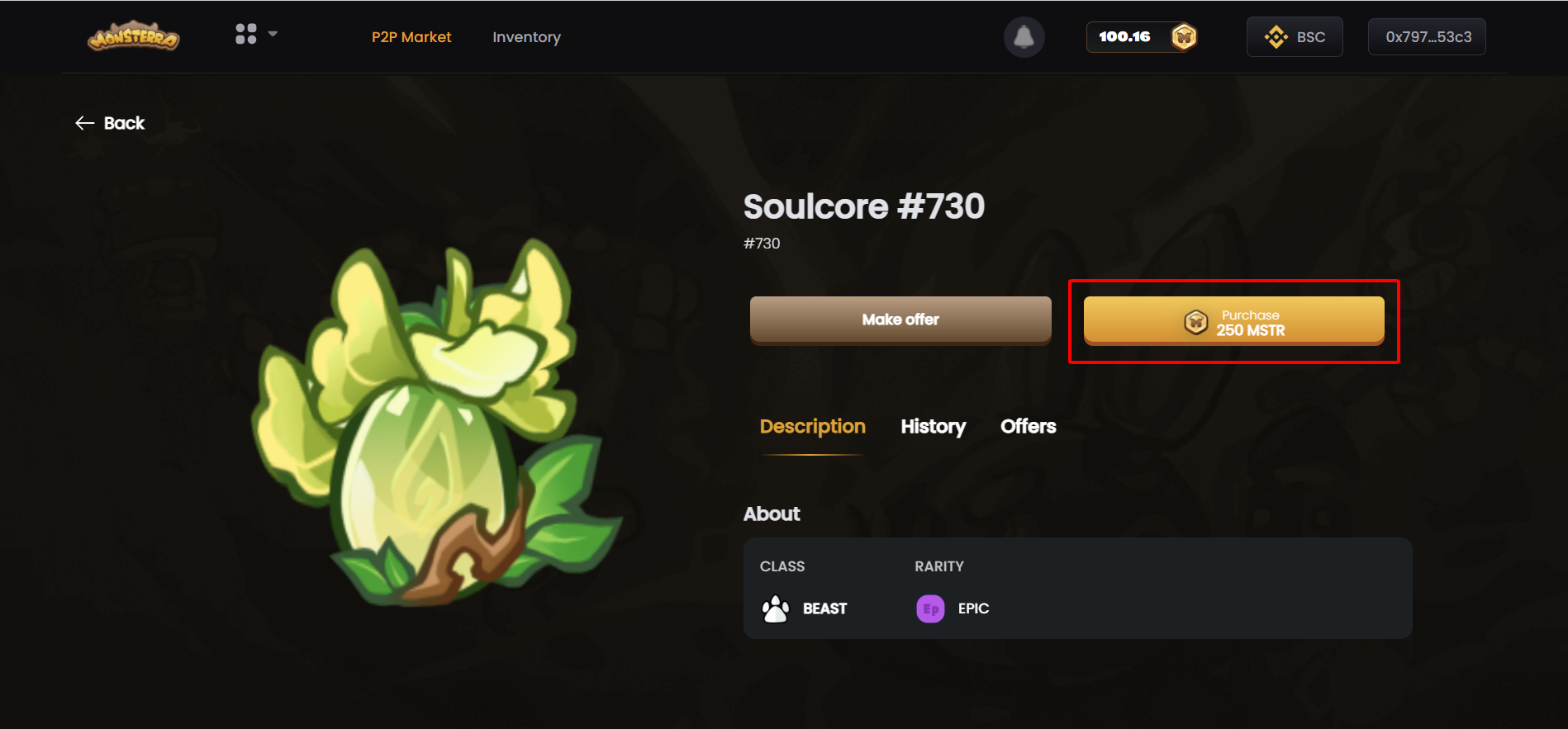
#### **Step 2: Click on "Purchase" button in the list or in detail NFT to see more attribute information.**

<figure><img src="https://1306946730-files.gitbook.io/~/files/v0/b/gitbook-x-prod.appspot.com/o/spaces%2FGtLZR4sHSzGcn488y6Ks%2Fuploads%2F03KazhclFUjTr9hSGXkh%2Fimage.png?alt=media&#x26;token=30dbaca8-8185-4950-8cab-58ef72172283" alt=""><figcaption><p><strong>Purchase button in the list</strong></p></figcaption></figure>

<figure><img src="https://1306946730-files.gitbook.io/~/files/v0/b/gitbook-x-prod.appspot.com/o/spaces%2FGtLZR4sHSzGcn488y6Ks%2Fuploads%2Fs7jUJOYOS2BUrw5uRTIZ%2Fimage.png?alt=media&#x26;token=1735ca02-864e-4221-b8ac-b56d8579927c" alt=""><figcaption><p>Purchase button in Detail NFT</p></figcaption></figure>

#### **Step 3: Click on “Approve" button on popup checkout.**

<figure><img src="https://1306946730-files.gitbook.io/~/files/v0/b/gitbook-x-prod.appspot.com/o/spaces%2FGtLZR4sHSzGcn488y6Ks%2Fuploads%2FTP20mK7GTUYOU0pW31yW%2Fimage.png?alt=media&#x26;token=6ab6a71d-79c6-4be2-aab8-87beb1a15d8e" alt=""><figcaption></figcaption></figure>

#### **Step 4: Click on “Confirm" button in your digital wallet.**

{% hint style="info" %}
**Note:** Please make sure you have enough BNB to pay the gas fee.
{% endhint %}